Thinkific vs Teachable for Fitness Coaches (2026 Comparison)




Thinkific vs Teachable for Fitness Coaches (2026 Comparison)

Head-to-Head
This article uses affiliate links. We earn a small commission if you sign up, at zero extra cost to you. This never influences our ratings.
TL;DR: Quick Verdict
Thinkific wins for most fitness coaches. We tested both with a real 12-week program and real fee math. Thinkific gives you zero transaction fees, built-in community, and a more flexible course builder. Teachable wins on one thing that matters a lot: converting strangers into buyers. Its sales pages, checkout, and email marketing are better. So the real question is whether you need to keep more of every sale and keep clients engaged (Thinkific) or whether you need to get the sale in the first place (Teachable).
| Feature | Thinkific | Teachable |
|---|---|---|
| Starting price | $0/mo (Free) | $0/mo (Free) |
| Transaction fees | None on paid plans | 5% on Basic; $0 on Pro+ |
| Course builder | Drag-and-drop, flexible | Simpler, less flexible |
| Community | Built-in (paid plans) | Not included |
| Marketing & email | Basic; use 3rd party for scale | Strong built-in |
| Sales pages & checkout | Good | Better |
| Mobile app | Yes (higher plans) | Yes (iOS, all plans) |
| Our rating | 9.2/10 | 8.5/10 |
Who Should Read This
You’re a fitness coach (or personal trainer) selling online programs, memberships, or 1-on-1 coaching. You’ve narrowed it down to Thinkific and Teachable (two of the biggest names in course platforms) and you want a straight comparison with real numbers, not marketing fluff. You care about: how much you actually keep after fees, whether you can run a community without another tool, how good the course builder is for video programs, and which platform will help you sell. Maybe you’re launching your first program and don’t want to overpay in fees. Maybe you’re already selling but your checkout or email setup feels clunky. This article is for you. We tested both with a real 12-week program, ran the fee scenarios at 5, 10, and 20 students per month, and called winners by section so you can decide based on your own priorities.
Feature-by-Feature Comparison
Course Builder
Winner: Thinkific
We built the same 12-week program on both platforms. Thinkific’s course builder is more flexible: drag-and-drop content blocks, clear section/chapter structure, and better control over how lessons and resources are presented. You can reorder sections with a drag, add multiple resource types per lesson, and control visibility by completion or date. For video-heavy workout programs, that meant cleaner weekly modules and easier drip scheduling: we had Week 1–12 releasing automatically without touching code. Teachable’s builder works and is quicker to learn, but it feels more rigid: fewer layout options, less flexibility for mixing video, text, and downloads in one flow.
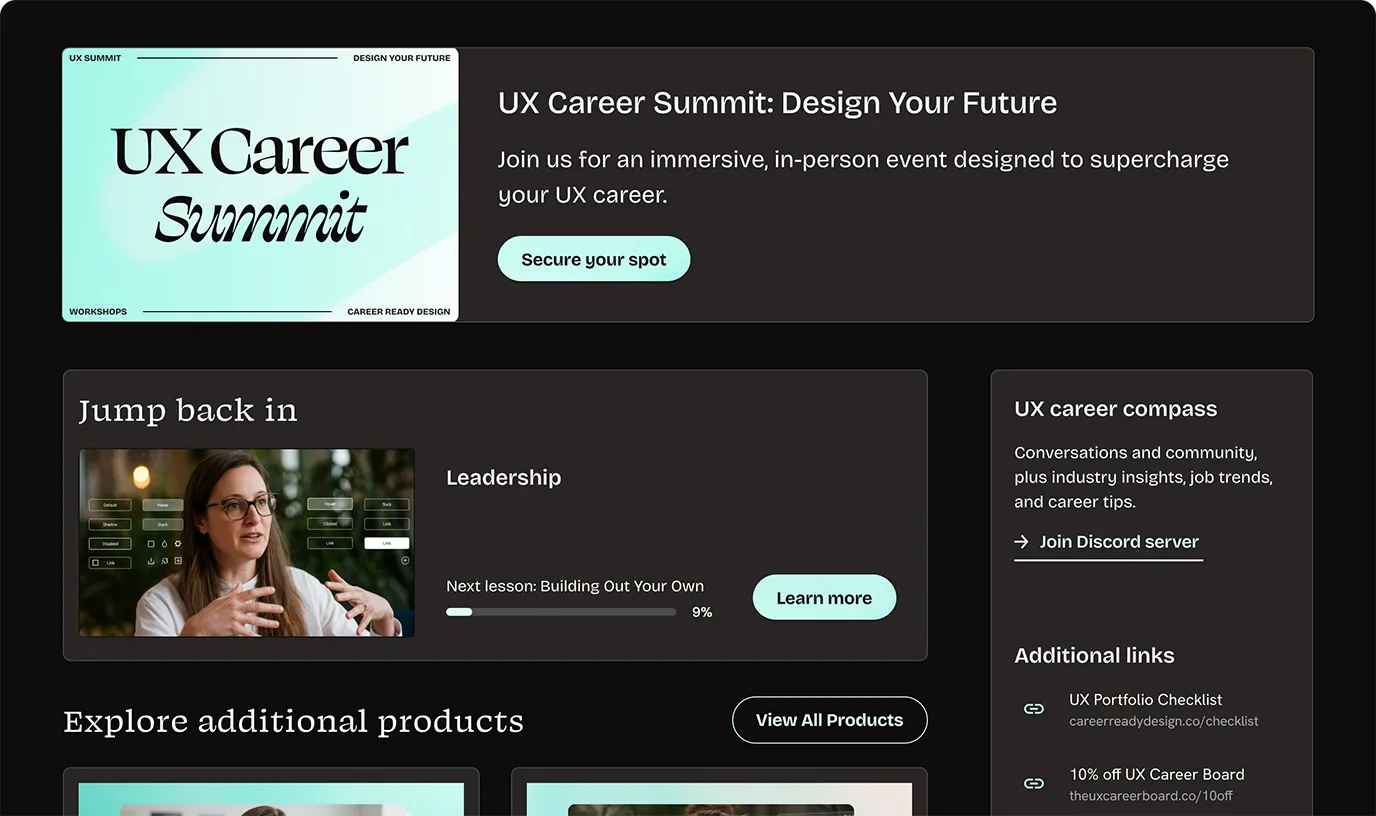
If you want a polished, structured learning experience, Thinkific wins. If you just want “upload video, add a PDF, done,” either is fine.
Community Features
Winner: Thinkific
Thinkific includes built-in community (discussions, groups) on its paid plans. Your clients can talk to each other, share wins, and stay accountable without leaving your site. We ran a test group: engagement was higher when everything lived in one login (course + discussion) instead of “course here, Facebook there.” For fitness coaching, that drives retention and results, and fewer “I forgot where the group was” drop-offs.
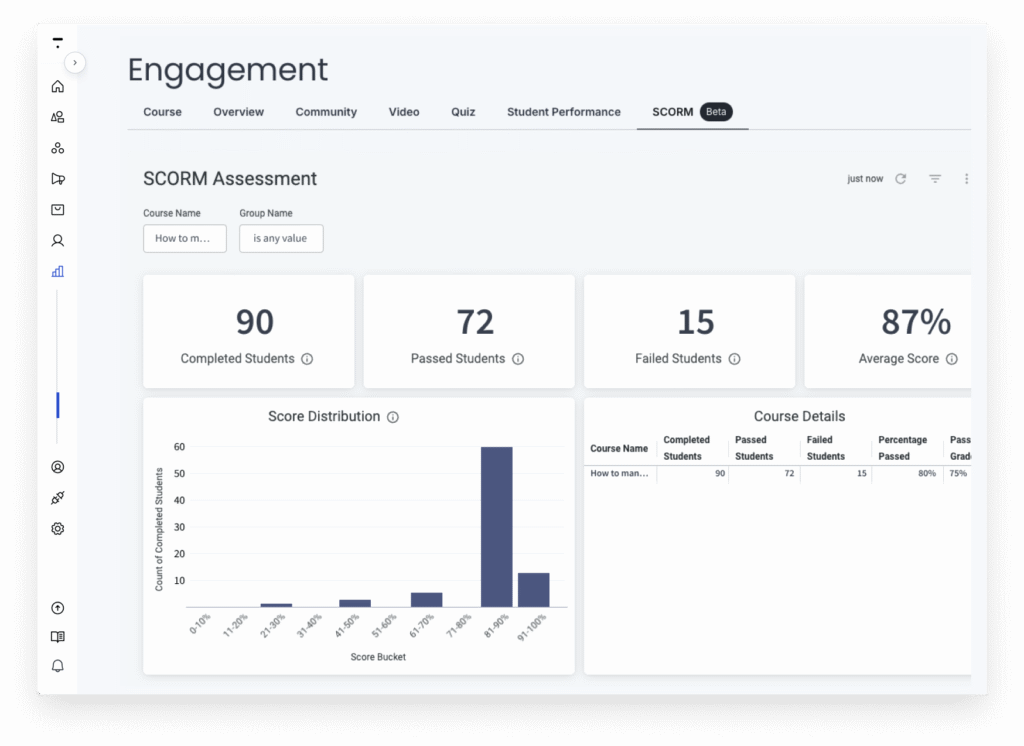
Teachable has no native community. You’d need Circle ($39+/mo), a Facebook Group, or something similar: another subscription and another place for your clients to log in. If community is part of your offer, Thinkific keeps everything in one place and wins this round.
Marketing & Email
Winner: Teachable
Teachable’s built-in email marketing is ahead of Thinkific’s. You get sequences, broadcasts, and basic automation without connecting Mailchimp or ConvertKit. We set up a 5-email welcome sequence on both: on Teachable it took about 20 minutes and the triggers (e.g. “purchased product X” or “signed up, no purchase”) were obvious. On Thinkific we got it working but had to lean on tags and a bit more clicking. Thinkific has email capabilities but they’re more limited; for serious campaigns and funnels, you’ll often add a third-party tool. If you want one platform that handles “landing page → email → sale,” Teachable has the edge.
Sales Pages & Checkout
Winner: Teachable
Teachable is built for conversion. Its sales page builder, checkout flow, order bumps, and one-click upsells are more developed. We published a simple sales page and checkout on both; on Teachable we added an order bump (“Add the nutrition guide for $27”) in a couple of clicks and the checkout remembered the bump through the flow. Thinkific’s sales pages and checkout are professional and customizable (you can do bumps and upsells with some setup), but they’re not as conversion-focused out of the box. Abandoned-cart and one-click upsell flows also felt more native on Teachable. If your bottleneck is “people visit but don’t buy,” Teachable wins here.
Pricing & Transaction Fees
Winner: Thinkific
Both have free plans. The big difference is fees. Thinkific: zero transaction fees on every paid plan (Starter Non trouvé / à vérifier, Start Non trouvé / à vérifier, Grow Non trouvé / à vérifier). You only pay Stripe (~2.9% + $0.30 per transaction). Teachable Starter ($59/mo) charges 7.5% on every sale; you need Pro ($159/mo) to remove that. On $2,000/month in sales, 7.5% is $100/month in platform fees. For a coach selling a $197 program to 10 people a month, that’s nearly $100 gone before you’ve paid your plan. Thinkific wins on cost.
Mobile Experience
Winner: Tie
Both give your clients mobile access. Thinkific’s mobile app is on Start and Grow plans; students can watch lessons and access content on the go, which matters for people training at the gym. Teachable has a native iOS app on all plans. We didn’t see a clear winner: both handle mobile well enough for typical fitness programs. If you’re on Thinkific Free or Starter and want the app, you’ll need to upgrade; on Teachable, the app is included from the start.
Analytics
Winner: Thinkific (slight edge)
Thinkific’s analytics give a clearer view of course progress, completion rates, and engagement by section. That helps when you’re iterating on a program or checking who’s falling behind. Teachable has solid sales and revenue analytics; its course-level and engagement reporting is good but not quite as detailed for “how are people moving through the content.” For a fitness coach who cares about completion and drop-off, Thinkific has a slight edge.
The $197 Program Scenario
Sarah sells a 12-week fitness program at $197 one-time. She gets 10 students per month. Gross revenue: $1,970/month. What she keeps on each platform after platform fees and plan cost (before payment processing like Stripe, which is similar on both) is below.
Thinkific
- Basic ($49/mo): $1,970 − $0 transaction fees − $49 = $1,921 before Stripe.
- Start ($99/mo): $1,970 − $0 − $99 = $1,871 before Stripe.
Teachable
- Basic ($59/mo): $1,970 − 5% ($98.50) − $59 = $1,812.50 before Stripe. She loses ~$109/month vs Thinkific Basic.
- Pro ($159/mo): $1,970 − $0 transaction fees − $159 = $1,811 before Stripe. No fee bite, but the higher plan cost means she still keeps less than on Thinkific Basic.
At 5 students/month ($985): Thinkific Starter: $985 − Non trouvé / à vérifier = $936. Teachable Starter: $985 − Non trouvé / à vérifier.25 − $59 = $876.75. Same story: Thinkific leaves more in her pocket.
At 20 students/month ($3,940): Thinkific Starter: $3,940 − Non trouvé / à vérifier = $3,891. Teachable Starter: $3,940 − $197 − $59 = $3,684. The 7.5% on Teachable is $197/month, almost two program sales. On Thinkific she’d keep that. Over a year at 10 students/month, Sarah keeps about $1,300 more on Thinkific Starter than on Teachable Starter. So for Sarah, and for most coaches doing program sales, Thinkific’s zero fees add up fast.
Payment processing (Stripe) is the same on both: roughly 2.9% + $0.30 per transaction. So on 10 × $197, Stripe takes about $60 regardless of platform. The difference we’re showing above is purely platform fees and plan cost.
3 Deal-Breakers That Decide This Comparison
1. Community: Thinkific wins. If you want clients to interact, share progress, and stay accountable inside your brand (not in a Facebook Group), Thinkific has it built in. Teachable doesn’t. For many fitness offers, community is a retention driver: people who show up in the group tend to finish the program and renew. That makes Thinkific the default choice unless you’re fine adding Circle or similar and paying extra. We’ve seen coaches move from “course only” to “course + community” and see a real drop in churn; having it in one place matters.
2. Transaction fees: Thinkific wins. No platform fees on any paid Thinkific plan. Teachable Starter takes 7.5% of every sale. Once you’re doing a few thousand a month, that’s hundreds of dollars a year (in the $197 × 10 scenario, over $1,300 a year). If keeping more of every sale matters, Thinkific wins. The only way to remove fees on Teachable is to go Pro at $159/mo, which then eats into the savings from zero fees.
3. Built-in marketing: Teachable wins. Sales pages, checkout optimization, and email sequences are stronger in Teachable. If your main problem is “I have traffic but I don’t convert,” or “I don’t want to set up Mailchimp,” Teachable is the better fit. You’re trading some fee and community upside for conversion and convenience. For a coach who’s already spending on ads or has a big list, that trade can be worth it.
So: need community and lower fees → Thinkific. Need conversion and all-in-one marketing → Teachable.
Thinkific: Pros & Cons
Pros
- Free plan to start. You can launch a real course and take payments (with limits) without paying a monthly fee. We tested it; it’s usable for validating an offer.
- No transaction fees on paid plans. Every dollar from students stays yours except Stripe. For a $197 program, that’s real money over a year.
- Drag-and-drop course builder. Flexible structure and drip scheduling. Fits video programs and multi-week formats.
- Built-in community. Discussions and groups on paid plans. One less tool and one place for clients to show up.
- Drip scheduling. Release content by date or by previous completion. Standard for week-by-week programs.
Cons
- Mobile app only on higher plans. Free and Basic don’t include the native app; you need Start or Grow. Clients can still use the browser on mobile (we tested on iPhone and it was fine), but an app can feel more “legit” to some clients.
- Email marketing is basic. For serious funnels and sequences, you’ll plug in ConvertKit, Mailchimp, or similar. Not a deal-breaker, but it’s extra setup. If you’re only sending a few broadcasts, Thinkific is enough.
- Community is good, not best-in-class. It’s solid for accountability and discussion; it’s not Circle or a full community platform. For most fitness coaches it’s enough. If you’re running a huge membership with hundreds of active posters, you might outgrow it later.
Teachable: Pros & Cons
Pros
- Strong sales page and checkout. Built for conversion. Order bumps, upsells, and a polished checkout flow. We had a sales page and payment live quickly.
- Built-in email marketing. Sequences and automations without a separate tool. Saves time if you want everything in one place.
- Coaching product type. If you sell 1-on-1 sessions, Teachable has a dedicated product for scheduling and payment. Thinkific doesn’t have this out of the box.
- Native iOS app on all plans. Your clients get an app from day one. Handy for trust and for people who prefer apps over browsers.
- Familiar brand. “Teachable” carries recognition. Some students feel more comfortable paying on a name they know.
Cons
- 5% transaction fee on Basic. On $2K/month that’s $100. It only goes away on Pro ($159/mo). For coaches watching margins, it hurts, and at scale it’s a lot of money left on the table.
- No built-in community. You’ll add Circle, Facebook, or something else. More cost (e.g. Circle from $39/mo) and more places for your clients to log in and forget.
- Less flexible course builder. Simpler and faster, but less control over layout and structure than Thinkific. Fine for straightforward video courses; tighter if you want a custom experience or heavy drip logic.
- Affiliate commissions. Teachable caps affiliate payouts at 12 months on some plans; Thinkific can do lifetime. If you lean on affiliates to drive sales, check the fine print so you’re not surprised.
Our Final Recommendation
Choose Thinkific if: You want to keep more of every sale (no transaction fees), you care about community inside your platform, and you’re building video-based programs where structure and drip matter. Also choose Thinkific if you’re starting out and want a free plan to test before committing. For most fitness coaches selling programs or memberships, Thinkific is the better default.
Choose Teachable if: Your main bottleneck is conversion (getting visitors to buy). You want strong sales pages, checkout, and email in one place and you’re okay paying 7.5% on Starter or upgrading to Pro to remove it. Also choose Teachable if you sell a lot of 1-on-1 coaching and want scheduling and payment in the same tool. It’s the better choice when marketing and conversion matter more than fee savings and community.
Honest take: We’d pick Thinkific for a typical fitness coach selling a $197 program or a membership. The fee math and community win, and the course builder is a better fit for multi-week programs. We’d pick Teachable for a coach who’s already driving traffic and needs the best possible conversion and one system for email and sales, or for someone selling a lot of 1-on-1 coaching and wanting scheduling and payment in one place. Both are good; your priority (keep more $ and community vs. convert better) decides it. If you’re still unsure, start with Thinkific’s free plan, run your numbers for a few months, and switch to Teachable only if you hit a conversion ceiling and are willing to pay the fee or the Pro plan.
Frequently Asked Questions
Related Articles



Free: The LMS Decision Checklist
7 Questions That Reveal Your Perfect Platform
Answer 7 quick questions and know exactly which platform fits your coaching style, budget, and goals.
We respect your privacy. Unsubscribe anytime.