Teachable Review for Fitness Coaches (2026)

Teachable Review for Fitness Coaches (2026)


Head-to-Head
This article uses affiliate links. We earn a small commission if you sign up, at zero extra cost to you. This never influences our ratings.
TL;DR: Quick Verdict
| Aspect | Verdict |
|---|---|
| Overall rating | 8.3/10 |
| Best for | Fitness coaches who want strong conversion and built-in email in one platform |
| Starting price | $0 (Free), then $59 Basic, $159 Pro |
| Transaction fees | 5% on Basic; $0 on Pro+ |
| Standout features | Sales pages & checkout, built-in email, iOS app on all plans |
| Weak spots | 5% fee on Basic; no built-in community; less flexible course builder than Thinkific |
Verdict: Teachable is one of the best choices for fitness coaches who care about conversion. Strong sales pages, checkout (order bumps, upsells), and email sequences mean you can run landing page → email → sale without adding Mailchimp or a funnel tool. The 7.5% transaction fee on Starter and the lack of built-in community are the main tradeoffs. We tested it with 4-week and 12-week programs; the course builder is good enough for most video programs. For zero fees and community, compare with Thinkific; for interactive video, compare with LearnWorlds. We rate it 8.3/10.
Who This Review Is For
You’re a fitness coach or personal trainer considering Teachable. You want an honest review based on real use: what it does well, where it falls short, and how it compares to Thinkific and LearnWorlds. We built programs on Teachable, set up sales pages and email sequences, and evaluated the client experience. This review is the result. If you’re deciding between platforms, see our Thinkific vs Teachable and Teachable vs LearnWorlds comparisons.
Overview: What Teachable Is
Teachable is a course and membership platform with a focus on conversion and marketing. You create courses (video, PDFs, quizzes), set up products (one-time or recurring), and sell access. Unlike Thinkific, it includes a full email marketing layer: sequences, broadcasts, and automation. It also has strong sales page and checkout tools: order bumps, one-click upsells, and a conversion-optimized flow. The tradeoffs: a 7.5% transaction fee on the Starter plan ($59/mo), removed on Pro ($159/mo), and no built-in community. It has a free plan and a native iOS app for students on all plans.
We’ve compared it to Thinkific and LearnWorlds in our best LMS for fitness coaches guide. This review focuses on Teachable alone: what you get, how it performs for fitness use cases, and when it’s the right fit.
How We Tested Teachable
We:
- Created an account on the free plan and then Basic; timed onboarding.
- Built a 4-week fitness program with 16 video lessons, written instructions, and weekly drip. Repeated as a 12-week program to test scalability.
- Set up a sales page and checkout with an order bump (“Add the nutrition guide for $27”); tested the full flow.
- Configured a 5-email welcome sequence and a simple behavioral trigger (e.g. “signed up, no purchase”); no external email tool.
- Enrolled test students and checked the experience on desktop and the Teachable iOS app.
- Compared fees at 5, 10, and 20 students per month vs Thinkific.
Results: We had a live sales page, checkout, and welcome sequence in about 70 minutes from account creation. The 12-week program with drip took about 50 minutes to structure. The course builder was simpler than Thinkific’s (fewer layout options), but we had no trouble with a standard video + PDF + drip setup. The iOS app worked well for playback and navigation. On fees: at 10 students per month on a $197 program, Starter cost $59 + 7.5% ($98.50) = $157.50 in platform cost; Thinkific Starter would be Non trouvé / à vérifier and $0 fees. So Teachable costs more for coaches who care about keeping fees low; it wins for coaches who care about conversion and email in one place.
Key Features for Fitness Coaches
Course Builder
Teachable’s course builder is section-based: you add sections (e.g. “Week 1”), then lessons (video, text, PDF, quiz). Drip can be set by date or by completion (e.g. “available 7 days after enrollment”). We built a 12-week program in about 50 minutes; reordering and adding content were straightforward. It’s less flexible than Thinkific’s drag-and-drop (fewer options for mixing content types) and customizing layout. For standard 4-week or 12-week video programs, it’s sufficient.
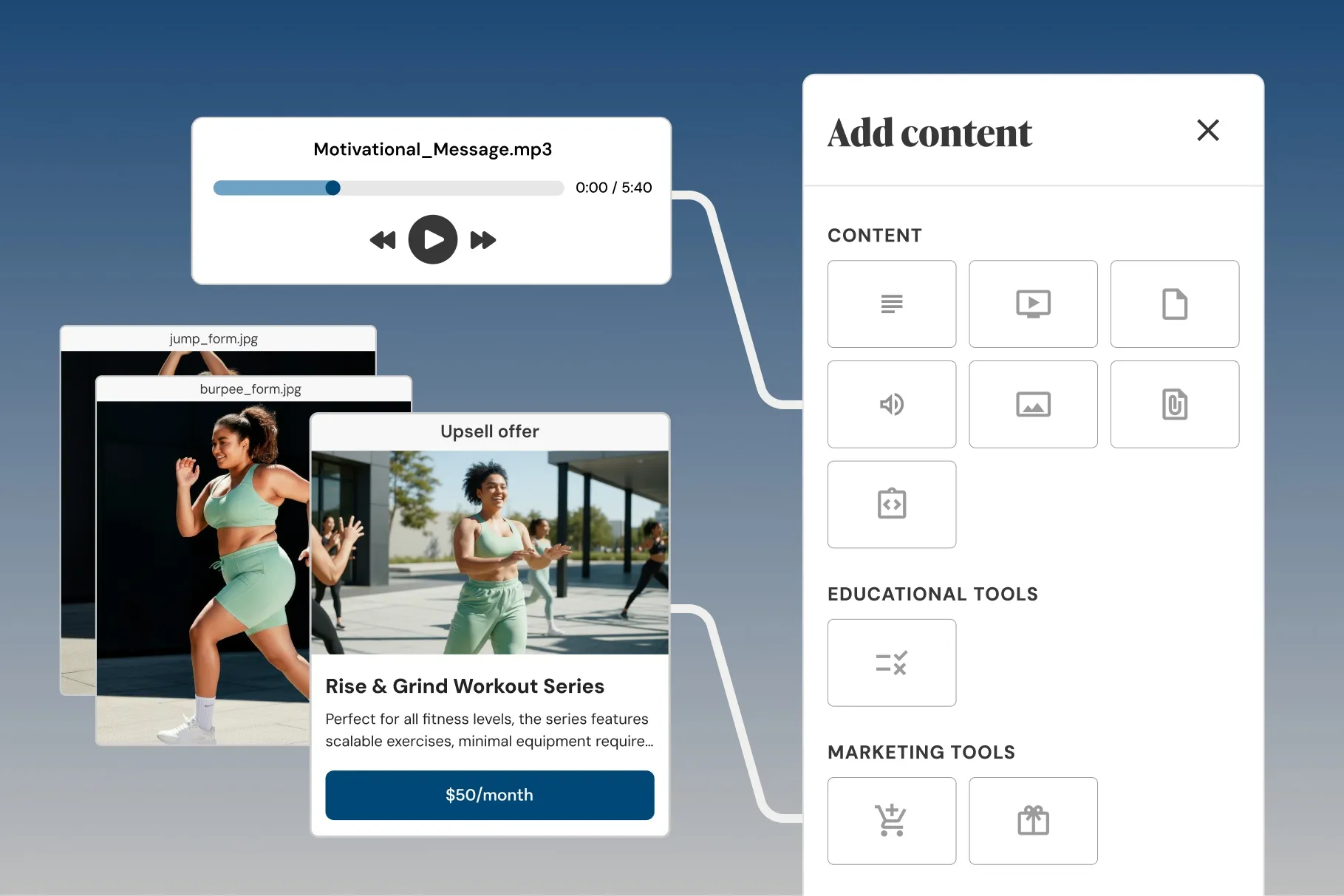
There’s no interactive video (no in-video quizzes or clickable hotspots); for that you’d need LearnWorlds. See our Teachable vs LearnWorlds for that comparison.
Sales Pages and Checkout
Teachable is built for conversion. The sales page builder has templates and customization; you can add testimonials, pricing tables, and CTAs. Checkout supports order bumps (“Add X for $Y”), one-click upsells, and a polished flow. We added an order bump and had it working in a few clicks. Abandoned-cart and post-purchase sequences are available. If your main problem is “people visit but don’t buy,” Teachable’s tools are among the best we’ve tested. Thinkific has sales pages and checkout but they’re less conversion-focused out of the box. Our Thinkific vs Teachable article compares both in detail.
Email Marketing
Teachable includes a real email layer: sequences (e.g. welcome, nurture), broadcasts, and automation based on triggers (purchase, signup, tag). We set up a 5-email welcome sequence in about 20 minutes; the UI was clear. You don’t need Mailchimp or ConvertKit for basic-to-mid campaigns. Thinkific has notifications and integrations but not full sequences; if you want one platform for course and email, Teachable wins. For heavy list management and advanced automation, you might still add an external tool, but for most fitness coaches Teachable’s email is enough.
Memberships and Recurring Billing
Teachable supports recurring memberships and subscriptions. You can sell monthly or annual access, drip content by product, and gate courses. We set up a $39/month membership with weekly drip in about 30 minutes. For fitness coaches running subscription access to programs or a library, it works. You don’t get built-in community (discussions, groups) like on Thinkific or LearnWorlds; you’d add Circle or a Facebook Group. For billing and content delivery, Teachable is solid.
Coaching Product Type
Teachable has a dedicated Coaching product type: you can sell 1-on-1 sessions with scheduling and payment in one place. Thinkific doesn’t have this out of the box. If you sell a mix of programs and 1-on-1 coaching, Teachable’s Coaching product can simplify scheduling and payments. We didn’t run a full test of the coaching flow, but the option exists and is a differentiator vs Thinkific.
Mobile App
Teachable offers a native iOS app for students on all plans. Your clients can install the Teachable app and access your courses. It’s not white-label (your branding inside the app is limited), but it gives a dedicated app experience. We tested it; playback and navigation worked well.
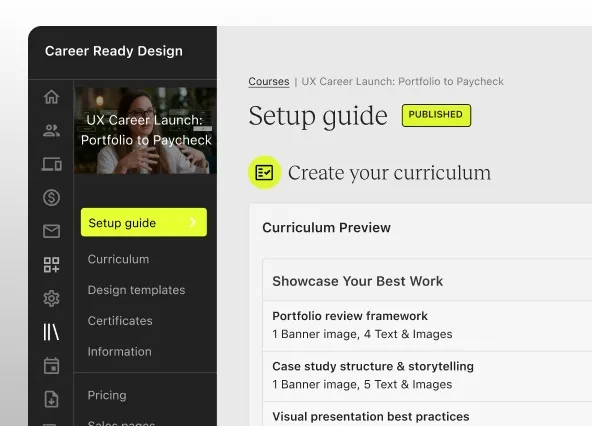
Thinkific’s branded app is only on the Grow plan (Non trouvé / à vérifier); LearnWorlds offers a branded app on Pro Trainer (Non trouvé / à vérifier). So Teachable gives you an app from day one on any plan; if you want your brand on the app, LearnWorlds is the cheaper path than Thinkific.
Analytics
Teachable has solid sales and revenue analytics: revenue by product, conversion rates, and student data. Course-level analytics (completion, engagement by section) are good but not as detailed as Thinkific’s for “how are people moving through the content.” For revenue and conversion, Teachable is strong; for completion and drop-off analysis, Thinkific has a slight edge.
Pricing in Practice
- Free: Limited (one product, one course); useful for trying the platform.
- Basic ($59/month): Full course builder, drip, memberships, email. 5% transaction fee. So on $2,000/month in sales you pay $59 + $100 = $159 in platform cost.
- Pro ($159/month): Everything in Basic, no transaction fee, more admin seats, advanced support.
- Higher tiers: More features and support; pricing on request.
Annual billing saves roughly 20%. So the real choice for many coaches is: Starter at $59 + 7.5%, or Pro at $159 with zero fees. On $2,000/month in sales, Starter costs $159 (plan + fee); Pro costs $159 (plan only). So at that volume you’re paying the same, but the 7.5% on Starter scales with revenue. At $4,000/month, Starter is $59 + $200 = $259; Pro is still $159. Our Thinkific vs Teachable article has the full fee math and comparison to Thinkific (which has zero fees on all paid plans).
Pros and Cons
Pros
- Strong sales page and checkout. Built for conversion; order bumps, upsells, polished flow. We had a sales page and payment live quickly.
- Built-in email marketing. Sequences and automations without a separate tool. Saves time if you want everything in one place.
- Coaching product type. If you sell 1-on-1 sessions, Teachable has a dedicated product for scheduling and payment. Thinkific doesn’t have this out of the box.
- Native iOS app on all plans. Your clients get an app from day one. Good for trust and for people who prefer apps over browsers.
- Free plan. You can try the platform and make a few sales before committing.
- Familiar brand. “Teachable” has recognition; some students feel more comfortable paying on a name they know.
Cons
- 5% transaction fee on Basic. On $2K/month that’s $100. It only goes away on Pro ($159/mo). For coaches watching margins, it hurts; at scale it’s a lot of money left on the table.
- No built-in community. You’ll add Circle, Facebook, or something else. More cost (e.g. Circle from $39/mo) and more places for your clients to log in.
- Less flexible course builder. Simpler and faster than Thinkific, but less control over layout and structure. Fine for straightforward video courses; tighter if you want heavy drip logic or a custom experience.
- No interactive video. No in-video quizzes or clickable hotspots; that’s LearnWorlds’ strength. For form cues and checkpoints inside video, Teachable doesn’t offer it.
- Affiliate commission limits. Teachable caps affiliate payouts at 12 months on some plans; Thinkific can do lifetime. If you use affiliates, check the fine print.
Who Teachable Is Best For
Teachable is best for fitness coaches who:
- Care about conversion and want strong sales pages, checkout, and email in one platform.
- Drive traffic (ads or list) and want to minimize tool sprawl (no separate landing-page or email tool).
- Sell 1-on-1 coaching and want scheduling and payment in the same tool (Coaching product type).
- Want a student app on every plan and don’t need a white-label app.
- Accept the 5% fee on Basic or the cost of Pro to remove it.
It’s a weaker fit if you want to keep more of every sale (then Thinkific’s zero fees win), built-in community (then Thinkific or LearnWorlds), or interactive video (then LearnWorlds). For a direct comparison, see our Thinkific vs Teachable and Teachable vs LearnWorlds articles.
Final Verdict
We rate Teachable 8.3/10 for fitness coaches. It delivers strong conversion tools (sales pages, checkout, email) and a usable course builder. We built 4-week and 12-week programs without friction; the client experience was professional and the iOS app was a plus. The 7.5% transaction fee on Starter and the lack of built-in community hold it back from a higher score for coaches who prioritize cost and community. We recommend it for conversion-focused coaches who are okay with the fee or the Pro plan cost. For zero fees and community, we’d point you to Thinkific; for interactive video, to LearnWorlds. Use our Thinkific vs Teachable and Teachable vs LearnWorlds comparisons to decide.
Frequently Asked Questions
Related Articles





Free: The LMS Decision Checklist
7 Questions That Reveal Your Perfect Platform
Answer 7 quick questions and know exactly which platform fits your coaching style, budget, and goals.
We respect your privacy. Unsubscribe anytime.