LearnWorlds vs Thinkific for Coaching (2026 Comparison)



LearnWorlds vs Thinkific for Coaching (2026 Comparison)

Head-to-Head
This article uses affiliate links. We earn a small commission if you sign up, at zero extra cost to you. This never influences our ratings.
TL;DR
Thinkific = free to start, no transaction fees, strong community, simpler. LearnWorlds = interactive video nobody else has, branded app at half Thinkific’s app price, more advanced site builder. They serve different coaching styles. We tested both with real fitness programs; here’s the honest breakdown and 12-month cost math.
| Category | Thinkific | LearnWorlds |
|---|---|---|
| Starting Price | $0/mo (Free) | $29/mo |
| Transaction Fees | None on paid plans | $5/sale on Starter |
| Course Builder | Drag-and-drop, flexible | Template + interactive |
| Interactive Video | No | Yes (standout) |
| Community | Built-in, mature | Built-in |
| Mobile App | Non trouvé / à vérifier plan | $99/mo plan |
| Website Builder | Solid | More advanced |
| Our Pick | Best overall | Best for premium / video-first |
We ran both platforms with real programs: a 12-week strength program, a form-focused lifting tutorial, and a monthly membership. The verdict isn’t “one is better”; it’s that they solve different problems. Below we spell out exactly which one fits your style and show the 12-month cost math so you can see where LearnWorlds’ higher price starts to pay off.
What Makes This Comparison Different
This isn’t “good vs bad.” One platform is free to start and keeps fees simple. The other is the only major LMS with interactive video built in. They serve different coaching styles, and we tested both with real fitness programs (strength, form tutorials, and memberships) to see where each one actually shines.
- Free-to-start, low risk: Thinkific. You can launch a full program, take payments, and prove demand without spending a dollar. We put a 12-week program live on the free plan in under an afternoon; no card required.
- Interactive video, form cues, in-video quizzes: LearnWorlds. If your teaching lives in “tap here for the progression” or “pause and check your form,” LearnWorlds is the only one that does it natively. No other LMS we’ve reviewed offers clickable hotspots and in-video checkpoints out of the box.
- Community-first memberships: Thinkific’s community is a bit more mature and wired into courses. For discussion threads, progress check-ins, and program-specific spaces, it felt more ready out of the gate.
- Premium brand + app at a lower app tier cost: LearnWorlds gives you a branded app at Non trouvé / à vérifier; Thinkific’s app tier is Non trouvé / à vérifier. Same goal, different price point.
So the real question is: What kind of coach are you, and what do you need first? Below we go feature-by-feature, then run the numbers so you can see exactly where LearnWorlds’ higher price starts paying for itself, and where Thinkific stays ahead.
Feature-by-Feature
Interactive Video
Winner: LearnWorlds
Thinkific doesn’t offer interactive video. You get standard embed-and-play: clients watch, maybe take a quiz after. LearnWorlds lets you add clickable elements, in-video quizzes, bookmarkable timestamps, and overlay text at specific moments.
We tested it with a 20-minute form tutorial: hotspots on “common mistakes,” a 2-question checkpoint mid-video, and cues like “Drive through the whole foot” at the right second. Setup took about 45 minutes the first time; after that, adding hotspots to new videos was quick. For movement and form cues, it’s a clear upgrade. If your content is mostly “follow along” with minimal instruction, you might not use it much. If form and progressions are core to your method, LearnWorlds wins; and there’s no real substitute on Thinkific or Teachable.
Course Builder
Winner: Thinkific (ease) / LearnWorlds (power)
Thinkific’s drag-and-drop is faster to learn. Sections, lessons, videos, PDFs: straightforward. We had a full course structure up in under an hour. LearnWorlds is more template-driven and has a steeper curve (expect a bit of clicking around the first time), but once you’re in, you get interactive video and more layout options. For a first program or simple “video + PDF + drip,” Thinkific is easier. For dense, instruction-heavy courses with lots of checkpoints and in-video elements, LearnWorlds’ builder supports that better.
Community
Winner: Thinkific (slight edge)
Both have built-in community. Thinkific’s has been around longer; we found it a bit more polished for program-specific spaces and discussion threads: assigning a space to a course or membership is straightforward, and the threading feels familiar. LearnWorlds’ community works and is improving, but feels newer; we had no functional issues, but the UX is a step behind. For retention-heavy fitness memberships where “check in and share progress” matters, Thinkific has a slight edge.
Marketing
Winner: Tie
Neither is a full marketing suite (that’s more Kajabi territory). Both give you coupons, basic analytics, and integrations with email tools (we connected both to ConvertKit without issues). You’ll still want something like ConvertKit or MailerLite for sequences and automation. No clear winner here; pick based on course and community needs, not marketing bells and whistles.
Mobile App
Winner: LearnWorlds
LearnWorlds offers a branded mobile app on the Pro Trainer plan (Non trouvé / à vérifier). Thinkific’s branded app is on the Grow plan (Non trouvé / à vérifier). Same idea, half the price on LearnWorlds. If you don’t need a dedicated app, both have solid responsive web experiences on phones.
Website Builder
Winner: LearnWorlds
LearnWorlds’ site builder is more capable: more templates, blog, better page control. You can run your whole brand from one place: landing pages, blog, and courses. Thinkific’s is fine for sales and course pages; we found it adequate for a simple “program + checkout” flow, but many users keep a separate WordPress or Squarespace site for their main web presence. 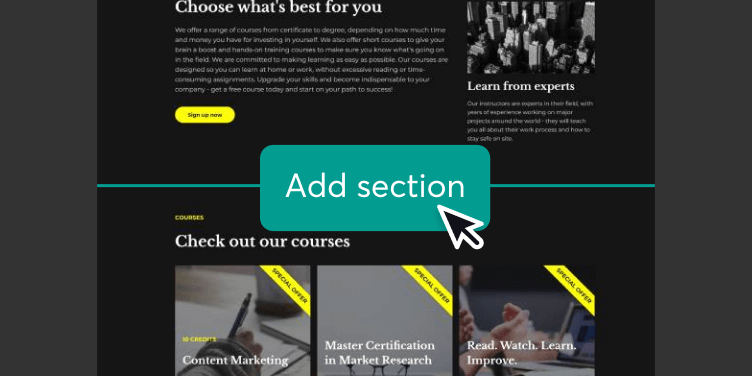
If you want everything under one roof with a more polished look, LearnWorlds wins.
Pricing & Fees
Winner: Thinkific at low volume; depends at higher volume
See the 12-month cost comparison below. Thinkific has no transaction fees on paid plans and a free tier; what you see is what you pay. LearnWorlds Starter is $29/mo but $5 per sale; that’s $100/month in fees alone at 20 sales, so the “cheap” plan stops being cheap fast. LearnWorlds becomes competitive when you move to Pro Trainer (no per-sale fee) and your volume justifies the higher base price. Honest take: we’d only recommend Starter for a short trial; if you’re committing to LearnWorlds, plan for Pro Trainer once you have real volume.
12-Month Cost Comparison
Assumptions: $97 program (one-time purchase). We’re comparing platform + fees over 12 months, not revenue. Thinkific Basic has no transaction fees; LearnWorlds Starter has $5 per sale; LearnWorlds Pro Trainer has no per-sale fee. Numbers are rounded for readability.
| Scenario | Students/mo | Thinkific (Basic Non trouvé / à vérifier) | LearnWorlds Starter ($29 + $5/sale) | LearnWorlds Pro Trainer (Non trouvé / à vérifier, no fee) |
|---|---|---|---|---|
| Coach A | 20/mo | Non trouvé / à vérifier | $348 + $1,200 fees = $1,548 | $1,188 |
| Coach B | 50/mo | Non trouvé / à vérifier | $348 + $3,000 fees = $3,348 | $1,188 |
| Coach C | 100/mo | Non trouvé / à vérifier | $348 + $6,000 fees = $6,348 | $1,188 |
Takeaways:
- At 20 students/month, Thinkific Basic is usually the cheapest (exact annual pricing: Non trouvé / à vérifier). LearnWorlds Starter is heavily penalized by $5/sale ($1,200/year in fees). LearnWorlds Pro Trainer is $1,188, still often higher than Thinkific, but you get interactive video and app. For a coach just getting started, Thinkific is usually the cost winner.
- At 50 and 100 students/month, LearnWorlds Starter is a bad deal because of fees. Pro Trainer at Non trouvé / à vérifier ($1,188/year) can beat Thinkific Basic and usually beats LearnWorlds Starter for total cost. That’s where LearnWorlds’ higher price starts paying for itself: you’re paying for the platform instead of per sale, and you get the app and no-fee scaling.
- If you need the branded app, Thinkific Grow is Non trouvé / à vérifier (annual total: Non trouvé / à vérifier) vs LearnWorlds Pro Trainer Non trouvé / à vérifier ($1,188/year). LearnWorlds often wins on app cost by a wide margin.
So: budget-conscious or low volume → Thinkific. Higher volume and/or must-have interactive video or app → LearnWorlds Pro Trainer can be the better financial fit. One more wrinkle: if you stay on LearnWorlds Starter while sales grow, the $5/sale line item becomes expensive quickly. At 30 sales/month you pay $150/month in fees on top of $29; that is $179/month total. At 50 sales/month, Starter reaches $279/month ($29 + $250 in fees). Pro Trainer at Non trouvé / à vérifier with zero fees is often the smarter move once you pass ~20 sales/month, and you also gain the branded app.
Three Coaches, Three Choices
We kept the same three archetypes and rewrote them with more concrete detail and the new voice.
Sarah: First program, budget-conscious (Thinkific wins)
Sarah runs a small gym. Mornings smell like rubber flooring and disinfectant; she’s used to cueing squats in person, not through a screen. She films on her phone between sessions (nothing fancy, but clear enough). She has about 20 regulars and wants to sell a 12-week strength program online at $97. She’s not sure it’ll sell; maybe 5–10 people the first run. She doesn’t want to spend before she’s validated the idea.
She needs: no upfront cost, simple upload (videos + PDFs), drip by week, and a way to take payment. She doesn’t need interactive video or a branded app yet. We tested Thinkific’s free plan: she could build the full program, set up Stripe, and run her first cohort without paying a cent. At 10 sales, that’s $970 in her pocket and $0 in platform fees. If she outgrows the free plan (e.g. needs to remove Thinkific branding or add more products), Basic at Non trouvé / à vérifier still has zero transaction fees; so at 20 students/month she’s paying Non trouvé / à vérifier per year. Thinkific wins for Sarah: free to start, no transaction fees when she moves to Basic, and the path from idea to first sale is the shortest.
Marcus: Movement coach, form is everything (LearnWorlds wins)
Marcus teaches Olympic lifting and mobility. His differentiator is form: frame-by-frame breakdowns, common mistakes, progressions. He’s the coach who’ll pause a clip and circle the exact moment the bar path drifts. His programs are premium ($297). He already has a following; his bottleneck is making sure people don’t hurt themselves and actually get the cues at the right moment; the kind of thing that’s easy in a gym with a coach’s eye, harder when it’s just a video on a phone.
We tested his usual “talking head + demo” style on both platforms. On Thinkific it was watch-and-follow: one linear video, maybe a quiz after. On LearnWorlds he added clickable hotspots (“Click for common mistake”), a short in-video quiz (“Where should the bar be at the knee?”), and text overlays at key seconds (“Drive through the whole foot”). The same 18-minute video became a different experience: clients could tap into the progression or the mistake reel without leaving the player. At $297 a program and ~25 sales per month, his 12-month platform cost on LearnWorlds Pro Trainer ($1,188) is a small fraction of revenue; the interactive layer is part of why people pay the premium. For him, LearnWorlds wins: the higher cost is justified by the price point and the fact that his clients get something they can’t get on a flat video.
Jessica: Scaling, 200+ students, priorities decide (Depends)
Jessica has an audience and a $39/month membership. She’s at 200+ members, adding workouts monthly and leaning on community for retention; the kind of space where people post “Day 30 check-in” and “finally got my first pull-up.” Notifications from the community tab are part of her daily scroll. She’s considering a branded app and better landing pages to convert her Instagram traffic.
If community and simplicity matter most: Thinkific. Mature community, no transaction fees (at 200 members that’s meaningful), and she’s already at a scale where Basic (Non trouvé / à vérifier) or Grow (Non trouvé / à vérifier if she wants the app) is still cheap per member. The discussion threads and program-specific spaces are where her members already “live.” If app + site polish matter more and she’s willing to learn a slightly more complex builder: LearnWorlds Pro Trainer gives her the app for Non trouvé / à vérifier (vs Non trouvé / à vérifier on Thinkific) and a stronger website for landing pages and blog. So Jessica’s choice depends on priorities; community-first and lowest friction → Thinkific; app and site-first and okay with a bit more setup → LearnWorlds.
LearnWorlds: Strengths & Limitations
Strengths: Native interactive video (clickable elements, in-video quizzes, overlays); unique among major LMSs we’ve tested. Branded mobile app at Non trouvé / à vérifier (Pro Trainer) vs Thinkific’s Non trouvé / à vérifier. Stronger website builder and more design control, so your sales pages and blog can live in one place. Certifications and badges for completion, which clients like to share. White-label so the platform can look fully yours. At 50+ sales/month, Pro Trainer’s no-fee structure can make total cost lower than staying on LearnWorlds Starter (where $5/sale adds up) or than paying for Thinkific’s app tier.
Limitations: No free plan. $5/sale on Starter hurts at low volume; we ran the numbers and at 20 sales/month you’re paying more in fees than the subscription. Steeper learning curve and a more template-driven course builder than Thinkific’s drag-and-drop. Community is good but less mature than Thinkific’s. Not the best fit for “I just want to test an idea with zero spend.”
Thinkific: Strengths & Limitations
Strengths: Free plan to validate an idea with no financial risk: we built and published a full 12-week program without entering a card. No transaction fees on paid plans, so your margin stays predictable as you scale. Easier course builder (drag-and-drop sections and lessons). Community that’s been around longer and ties well to courses and memberships. Lower total cost for coaches at 20–40 sales/month; our 12-month comparison shows Thinkific ahead until volume and/or app needs shift the math. Straightforward path from “I have an idea” to “I have paying clients.”
Limitations: No interactive video; you can’t add clickable cues or in-video quizzes; it’s standard video + optional quiz after. Branded app only on the Non trouvé / à vérifier Grow plan. Basic email marketing; you’ll use ConvertKit, MailerLite, or similar. Website builder is adequate but not as advanced as LearnWorlds. Not the best fit if your core product is “form correction and progressions inside the video.”
Our Final Recommendation
- Choose Thinkific if: You’re starting out or want to validate first (free plan), community and retention are central, you want the simplest path to revenue, and budget/low fees matter. It’s the safer, smarter default for most coaches.
- Choose LearnWorlds if: Interactive video is core to how you teach, you want a branded app without paying Non trouvé / à vérifier, you sell premium programs ($200+) where a polished, cue-rich experience justifies the cost, or you’re at 50+ sales/month and Pro Trainer’s no-fee math works for you.
We’ve recommended both to different coaches depending on their first priority: zero risk and simplicity (Thinkific) or interactive video and app value (LearnWorlds). Both are strong. The wrong move is staying in analysis paralysis. Pick one, launch, and adjust. We’d default most new coaches to Thinkific for the free plan and clean fee structure; we’d point movement and form-focused coaches (and anyone who’s already decided they need a branded app) toward LearnWorlds and its Pro Trainer tier once volume justifies the switch from Starter. If you need free-to-start and simple: Thinkific. If you need interactive video or a cheaper path to an app: LearnWorlds.
Frequently Asked Questions
Related Articles



Free: The LMS Decision Checklist
7 Questions That Reveal Your Perfect Platform
Answer 7 quick questions and know exactly which platform fits your coaching style, budget, and goals.
We respect your privacy. Unsubscribe anytime.